In today's fast-paced world, technology is reshaping how we manage our industrial operations. One pressing question arises: "Can I control my industrial door via a smartphone app?" This query highlights a growing interest in automation and smart solutions. Many industries seek to enhance efficiency and security through mobile technology.
Using a smartphone app to control industrial doors can simplify tasks. Operators can open, close, or monitor doors from anywhere, presenting significant advantages. However, challenges exist, including the need for reliable internet connections and potential cybersecurity risks. Security is paramount; ensuring safe access control systems is vital in an industrial setting.
Exploring this technological shift invites reflection. While convenience is appealing, the reliance on apps raises questions about potential failures. What if an app crashes? Can we trust the system completely? As industries embrace smartphone control, considerations about its efficacy must be clear. Balancing convenience with robust security measures is critical for a successful transition.
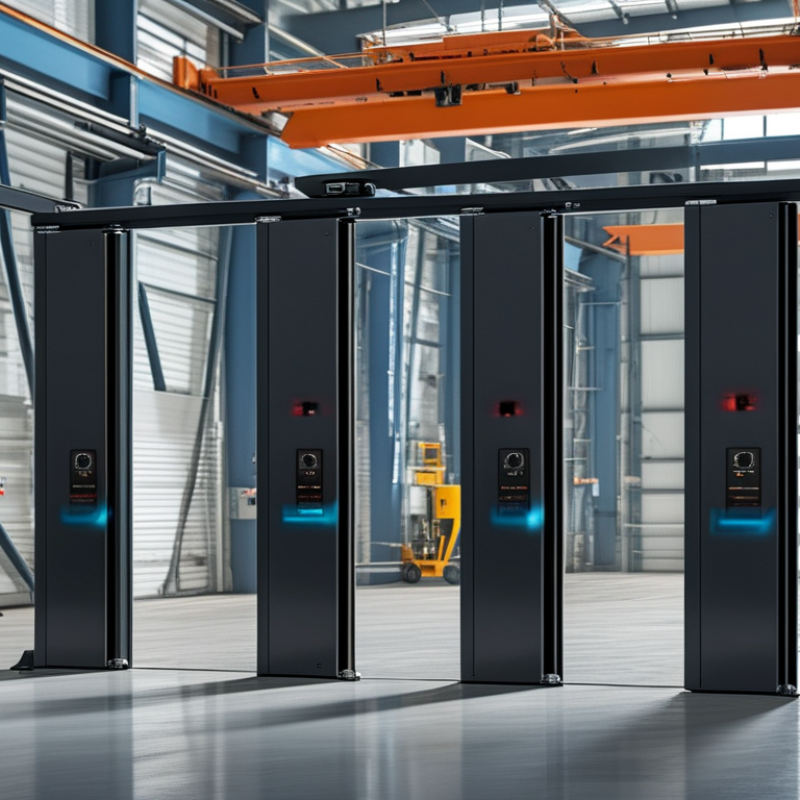
Understanding Smartphone-Controlled Industrial Door Systems
Smartphone-controlled industrial door systems offer a blend of convenience and efficiency. These systems leverage mobile technology, allowing users to open and close doors remotely. With a simple tap on your smartphone, you can manage access to your facilities from anywhere. This not only adds security but also streamlines operations.
When integrating such a system, consider the importance of a stable Wi-Fi or cellular connection. Poor connectivity can lead to delays and frustration. Also, ensure that the mobile app is user-friendly and offers clear instructions. Regular updates to your app can improve security features and user experience.
Tips: Regularly test the door system to guarantee functionality. Conduct periodic maintenance checks to prevent unexpected failures. Share app usage guidelines with your team to promote efficient usage. An informed workforce minimizes risks and maximizes benefits. Obsolete technology may hinder operations; staying updated is crucial.
Choosing the Right Smartphone App for Your Industrial Door Needs
Choosing the right smartphone app for your industrial door needs can be challenging. Start by considering what features are essential for your operations. For instance, real-time monitoring is crucial. Look for apps that allow you to track door status remotely. This can ensure that your facility is secure at all times.
User-friendliness is another important aspect. The interface should be intuitive, allowing quick access to controls. Complex systems can lead to frustration among staff. Ensure the app has good customer support. This helps when you encounter issues or have questions.
Don’t overlook security features in the app. Data encryption and user authentication are vital. Poor security can expose your facility to risks. Test the app in real-world conditions. Sometimes, functionality may not meet expectations. Collect feedback from your team to identify areas needing improvement. Choosing a smartphone app is not just about convenience; it's about enhancing operational efficiency and safety.
Setting Up Your Industrial Door for Smartphone Control
Setting up your industrial door for smartphone control can enhance convenience and efficiency. Begin by ensuring your door is compatible with smart technology. Many modern systems offer this feature, but older models might need retrofitting. Check the manual or consult a professional for guidance.
Next, install the necessary hardware. A reliable Wi-Fi connection is crucial. If your connection is unstable, consider upgrading your router or using a range extender. This step guarantees smooth communication between the app and your door.
Tips: Secure your network with strong passwords. An unsecured connection may expose your system to intrusions. Regularly update your app and firmware, as these updates include crucial security enhancements. Test the connection periodically to confirm everything works correctly.
Finally, familiarize yourself with the app features. Most apps allow for remote monitoring, logs of usage, and even scheduled operations. Take time to explore these functionalities. Mistakes can happen if you rush into setup. Ensure your staff is trained on proper usage to avoid mishaps.
Being mindful of these steps can lead to better control over your industrial door. Engage with the technology and adapt as you learn from any challenges.
How to Control Your Industrial Door with a Smartphone App? - Setting Up Your Industrial Door for Smartphone Control
| Feature |
Description |
Compatibility |
Setup Difficulty |
| Remote Access |
Control your industrial door from anywhere using your smartphone. |
iOS, Android |
Medium |
| Real-time Notifications |
Receive alerts when the door is opened or closed. |
iOS, Android |
Easy |
| User Access Control |
Manage user permissions for door access. |
iOS, Android |
Medium |
| Integration with Security Systems |
Link the door control with existing security solutions. |
Custom Systems |
High |
| Scheduled Access |
Set specific times for the door to be open or closed. |
iOS, Android |
Medium |
Step-by-Step: Connecting Your Smartphone to the Door System
Connecting your smartphone to an industrial door system enhances security and convenience. The process is straightforward yet requires attention to detail. Begin by ensuring your smartphone supports Bluetooth or Wi-Fi connectivity. According to a recent report by the Industrial Internet Consortium, 70% of businesses see improved efficiency through smart technology.
Once your smartphone is ready, locate the control panel of your door system. Follow the manufacturer’s instructions carefully to enable pairing mode. It's crucial to double-check every step. A small mistake can interrupt the connection. A misconnection can lead to unauthorized access or operational interruptions.
Tips for a smoother connection:
- Ensure your door system's software is updated. Outdated software can hinder connectivity.
- Maintain a strong signal during setup. Weak connections can lead to failed pairings.
- Consider security protocols. Always use encryption to protect your data.
After pairing, test the app regularly. Monitor access logs for any anomalies. This proactive step ensures that the system remains reliable. Remember, technology offers benefits, but it also has its flaws. Regularly reviewing your system will help you address potential vulnerabilities.
Troubleshooting Common Issues with Smartphone-Controlled Industrial Doors
Smartphone-controlled industrial doors offer convenience but can sometimes present challenges. Understanding these issues is key for smooth operation. One common problem is connectivity. If your door isn’t responding, ensure that Wi-Fi or Bluetooth is working. Check the signal strength; weak signals can lead to delays. Also, review app permissions. Sometimes, issues arise simply from inadequate access rights.
Another frequent issue is the door not fully opening or closing. This could be due to obstructions in the path. Inspect the door tracks for debris or mechanical faults. If your door operates irregularly, consider updating the app or resetting it. Regular maintenance, such as lubricating hinges, can prevent many operational hiccups.
User error is another factor. Ensure that all users are familiar with the app features. Lack of training can result in confusion during operation. Documenting troubleshooting steps within your organization can also help. This not only builds a repository of solutions but fosters accountability among users. Regularly assess your processes to enhance efficiency.
FAQS
: They offer convenience and efficiency. Users can remotely manage access to facilities with a smartphone.
Poor connectivity can lead to delays and frustration. It’s essential for smooth operation and access.
Consider essential features like real-time monitoring and user-friendliness. These aspects enhance efficiency.
Check for data encryption and user authentication features. Poor security can expose your facility to risks.
Ensure compatibility with smart technology and install necessary hardware. A reliable Wi-Fi connection is crucial.
Regular maintenance checks and testing are essential. This prevents unexpected failures and maintains efficiency.
Rushing through the setup can lead to errors. Take time to familiarize yourself with app features.
Share usage guidelines and provide training on app features. An informed team minimizes risks and maximizes benefits.
Collect feedback from your team and identify improvement areas. Testing in real-world conditions is essential.
Regular updates are vital for security enhancements. Always keep software up-to-date to protect your system.
Conclusion
The article "How to Control Your Industrial Door with a Smartphone App?" explores the innovative integration of smartphone technology with industrial door systems. It begins by explaining the workings of smartphone-controlled systems, highlighting their convenience and efficiency. Readers will learn how to choose the right app tailored to their specific industrial door needs, ensuring seamless operation.
The guide further outlines the setup process for enabling smartphone control, along with a detailed, step-by-step approach for connecting a smartphone to the door system. Finally, it addresses common troubleshooting issues, reassuring users that many problems can be easily resolved. Ultimately, the article answers the question, "Can I control my industrial door via a smartphone app?" affirmatively, emphasizing the practicality of modern technology in enhancing operational control and accessibility.

 Labor Door